

Process design
Define the enquiry journey, roles, required data and assignment rules.
CRM implementation and configuration for sales teams, including data migration, website forms, telephony and messaging integrations.
CRM Implementation & Business System Integration
CRM implementation starts with your sales process: where enquiries arrive, who owns them and what happens next. We configure pipelines, fields and access permissions, then plan data migration. Website, telephony and messaging integrations connect the customer’s history and reduce repeated data entry.
History and commitments are available to people with appropriate access.
Stages reflect actual work and the conditions for moving forward.
Connect forms, telephony and other agreed enquiry sources.
Solution concepts
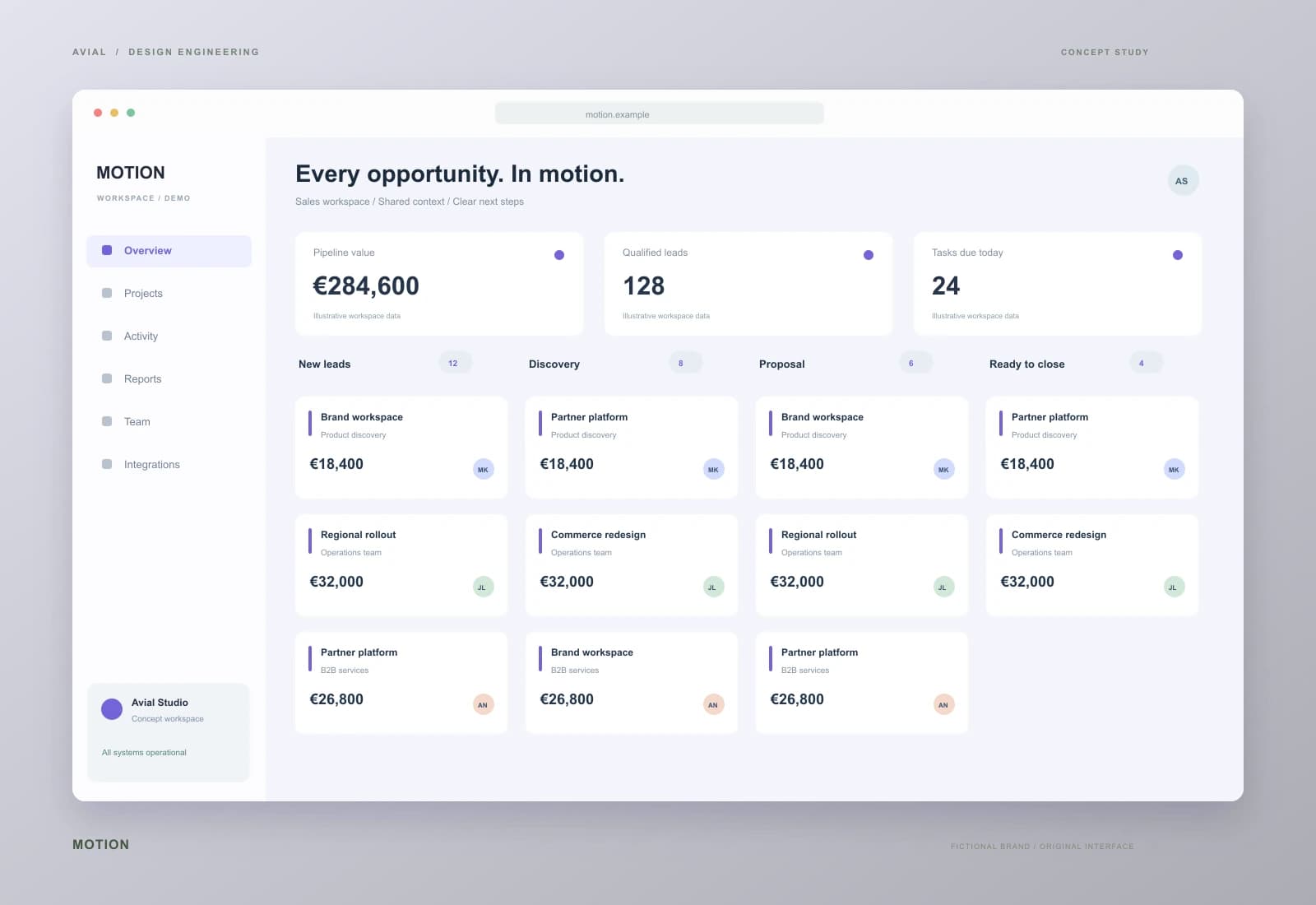
From first inquiry to a shared plan
A CRM concept for a service business, connecting website inquiries, conversations and next steps around each opportunity. Context stays with the deal instead of getting lost between tools.
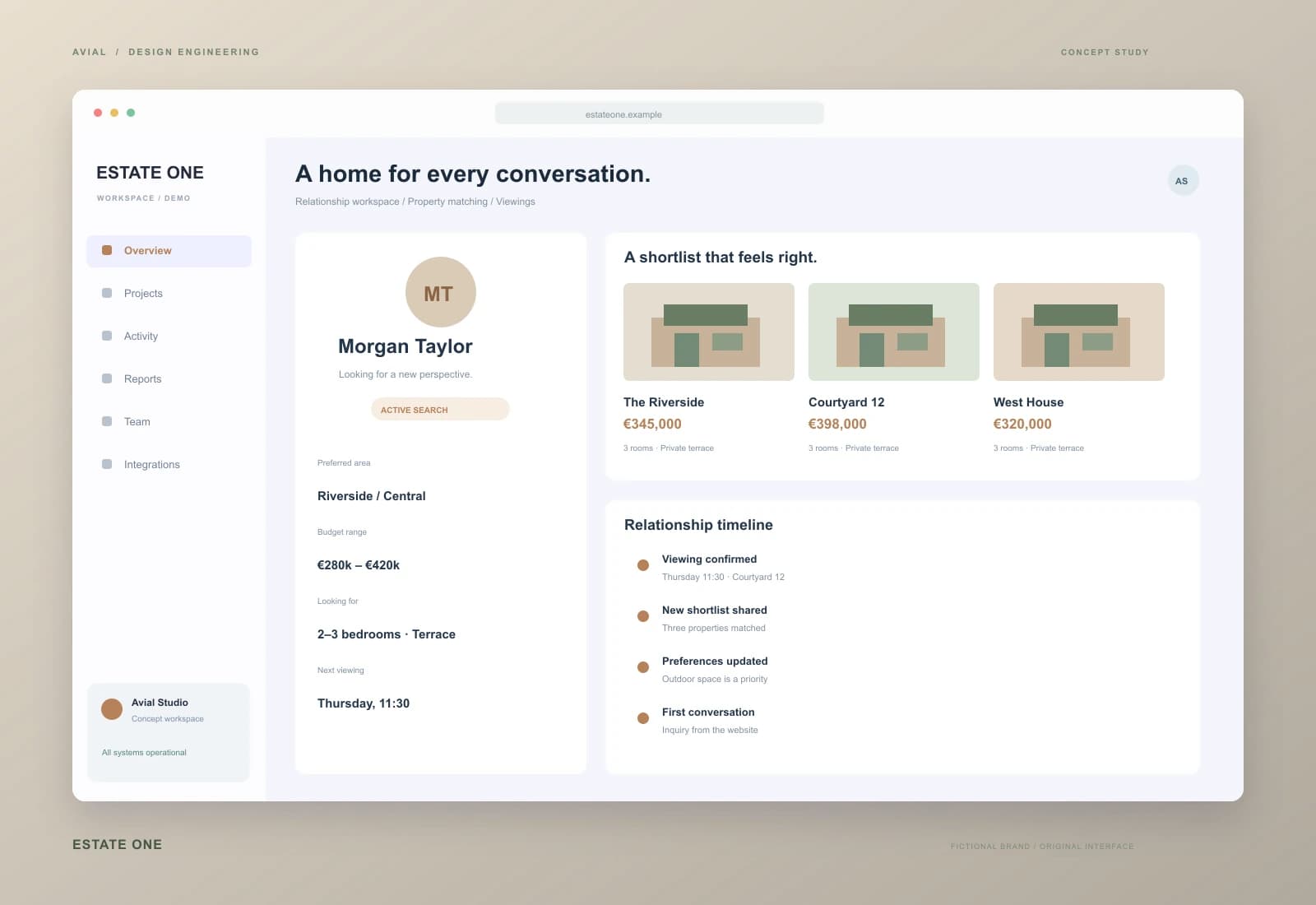
Property sales with the full picture
A property sales workspace concept connecting buyer preferences, selected listings and scheduled viewings. A shared relationship timeline lets the team continue each conversation with confidence.
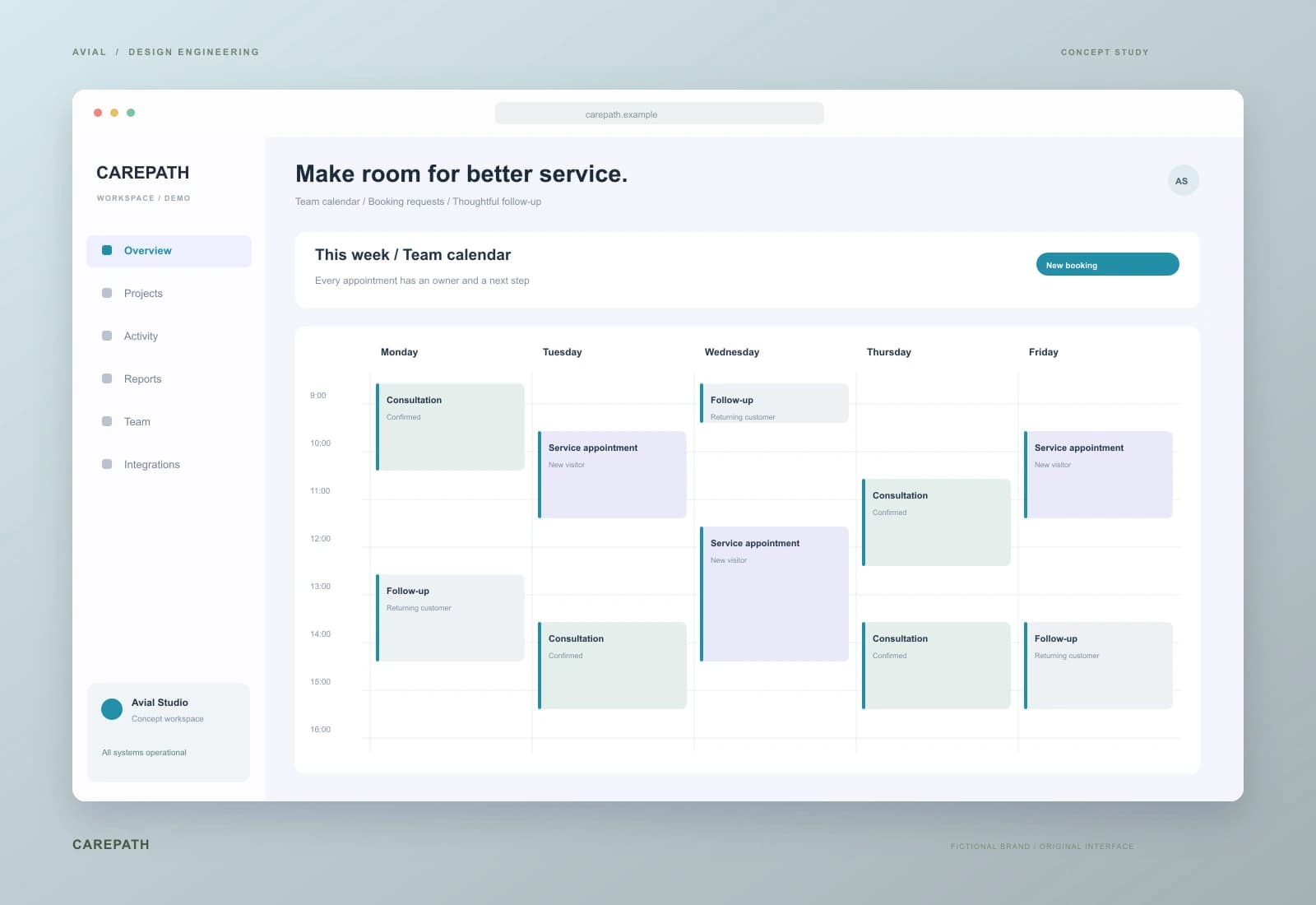
Appointment journeys, thoughtfully connected
An appointment operations concept for a service centre. An inquiry becomes a booking, confirmation and reminder, with schedule changes reflected across the website and the team’s workspace.
Original concepts for fictional brands, illustrating our approach to design and implementation.
What you get
Define the enquiry journey, roles, required data and assignment rules.
Configure pipelines, records, permissions, tasks and notifications for agreed journeys.
Connect sources, map fields and test duplicates and delivery failures.
Build practical team views, migrate agreed data and train users.
Design the daily workspace around what needs attention, what can happen next and which information is actually useful. The system becomes part of the workflow instead of another form to complete.
Connect agreed sources to a clear owner and next action. For web forms, email and telephony, establish which data is available and how delivery can be verified.
Review actual enquiries and reasons people return to spreadsheets. Reconsider unnecessary fields, stages and permissions. Improving the current system may be more useful than moving the whole business.
Define the source of truth for contacts, deals and reference data. Agree field mappings, duplicate rules and conflict resolution. Verify a trial import before changing the live workflow.
Receive a pipeline map, stage-transition rules, field dictionary and permission matrix. Every required field needs a purpose; reports should rely on information the team can maintain consistently.
Configure records, tasks, notifications and enquiry sources. Document API and webhook authentication, fields, limits, retries and error ownership. Verify ready-made connectors against your scenarios before relying on them.
Reconcile import counts and sample records, train users on their work and supply instructions. Agree the cutover date, manual fallback and post-launch observation period.
An illustrative test matrix, not a customer case study. Add your fields, systems and acceptable delays to the specification before implementation.
| Event | Processing rule | Verification result |
|---|---|---|
| A new website enquiry | Transfer source, contact details and topic | A record, accountable owner and next task exist |
| Repeated event delivery | Check the external event identifier | The same request does not create a second deal |
| A contact changed in both systems | Apply the agreed conflict policy | The log explains the change; data is not silently overwritten |
Scope depends on processes, roles, sources, historical data and integration complexity. Separate platform licences, paid connectors, custom development, migration and support. A vendor subscription is not the implementation budget.
Describe one enquiry journey, the current CRM, team and connected systems. An anonymised example is enough to begin. Timing depends on API access, data quality and approval of business rules.
Check delivery from agreed sources, records without owners and completion of next actions. Compare conversion only with consistent stage definitions and periods; installing software does not guarantee sales growth.
Receive field mappings, integration logs, access rules and a configuration-change process. Administrative accounts and data export should remain under client control within platform capabilities. New workflows require a separate scope decision.
From brief to launch
Review real enquiries and where context gets lost.
Demonstrate records and the enquiry journey before migration.
Test data delivery and exception handling.
Train users and refine awkward steps.
Before we start
Not necessarily. We review the current system first; changes to structure, permissions and a few integrations may be enough.
We define mapping and verification rules. A trial import and reconciliation happen before the agreed cutover.
Involve team representatives, keep fields purposeful and train people using their own work scenarios.
Yes. Compare processes, languages, roles, APIs, exports and total ownership cost. Recommendations follow requirements and capability checks rather than the advertised feature list alone.
Websites, phone systems, accounting and other tools with suitable APIs, webhooks or agreed file exchange. Verify compatibility and plan-level permissions before committing to a connection.
Agree matching keys and exceptions. A shared email or phone number does not always identify one person; uncertain merges should be reviewed.
Configure record, field and action access within platform capabilities. Test with representative user roles, including export permissions and history visibility.
Agree alerts, error logs, redelivery and manual reconciliation. Response ownership and service hours belong in the support terms.
No. Scope covers the agreed workflows. Complex cross-system approvals or document processing may be a separate automation project.
Receive configuration, instructions and agreed permissions. Export formats, availability and licence constraints are checked during platform selection.
AVIAL SERVICE
Tell us where enquiries arrive and which systems the team uses. We will identify a practical first step.
Describe your goal and current setup. We will clarify scope, costs and a first phase. An enquiry does not commit you to a purchase.
Estimate IT service costs, book a consultation and try an enquiry automation example. Use the website check to start a discussion about technical SEO and page speed.